Data Migration Tool
Delivery toolLoad legacy data into Oracle Fusion Cloud and prove that every record arrived
A data migration platform for Oracle Fusion Cloud implementations, written in PL/SQL on Oracle Autonomous Database with an Oracle APEX console on top. You upload source data as simple CSV files or as Oracle's own FBDI templates, and the tool validates and transforms it. It then builds the FBDI or HCM Data Loader files, submits the Fusion import jobs in dependency order, and reads the results back out of Fusion with BI Publisher. Every record ends up LOADED with its own Fusion ID or FAILED with the actual error, so nothing is left unexplained. It covers 27 objects across procure to pay, order to cash, financials, projects and HCM, from suppliers and purchase orders to assets, GL balances, workers and salaries.
Oracle PL/SQL · Oracle Autonomous Database · Oracle APEX · FBDI · HCM Data Loader · BI Publisher · Fusion REST
Read the lessons learned →The problem it solves
On most Fusion projects, data migration is a cycle of building FBDI spreadsheets by hand, uploading them, waiting for ESS jobs and digging through log files to find out which rows failed and why. Each object needs its own templates, its own load jobs and its own way of checking the result, and a full mock conversion can take a team several days. A job can also report success and still drop rows during downstream processing, so the only reliable answer to "did it load?" is to look in Fusion itself.
How it works
- 1
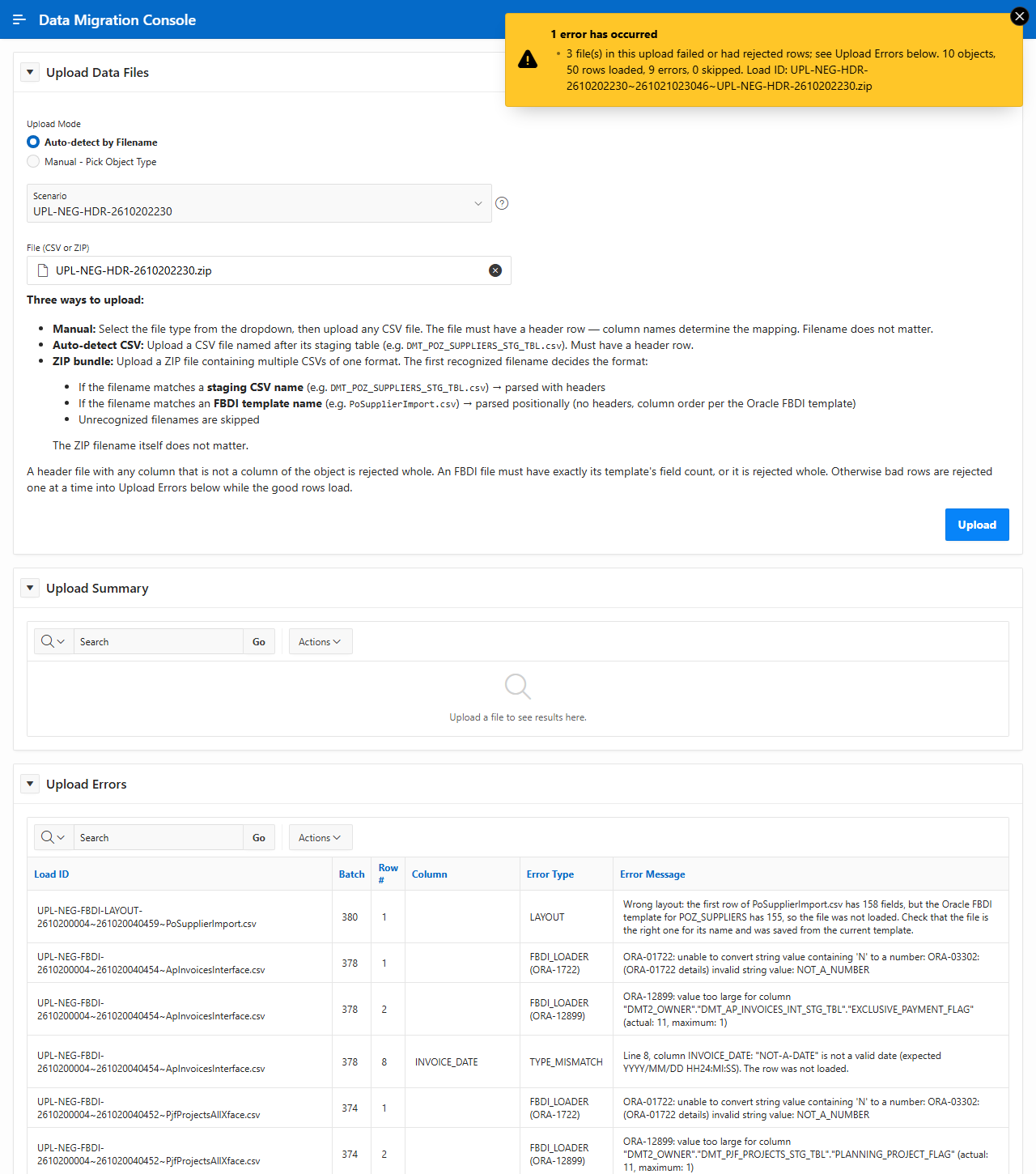
When you upload a ZIP of CSV files, each file is recognized by its name, either as a simple headed CSV or as an Oracle FBDI template. Good rows are staged, and each bad row is listed in Upload Errors with the column and a readable reason. A file with the wrong layout is rejected whole rather than loaded with shifted columns.
- 2
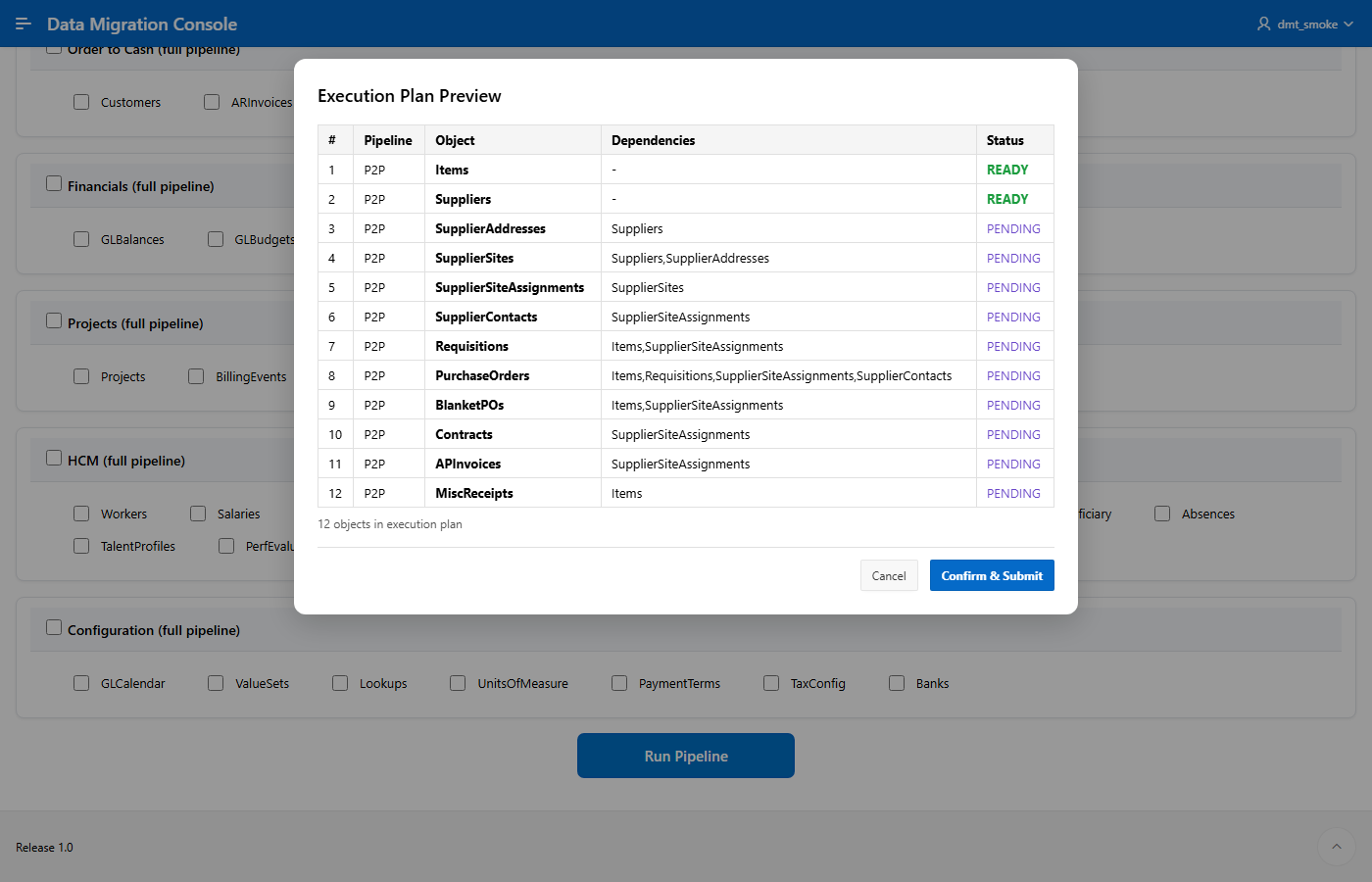
To start a run, you pick the objects or whole pipelines to load, and the tool shows the execution plan before anything is submitted. Each object waits for the objects it depends on, so supplier sites never load before their suppliers and purchase orders never load before their items and requisitions.
- 3
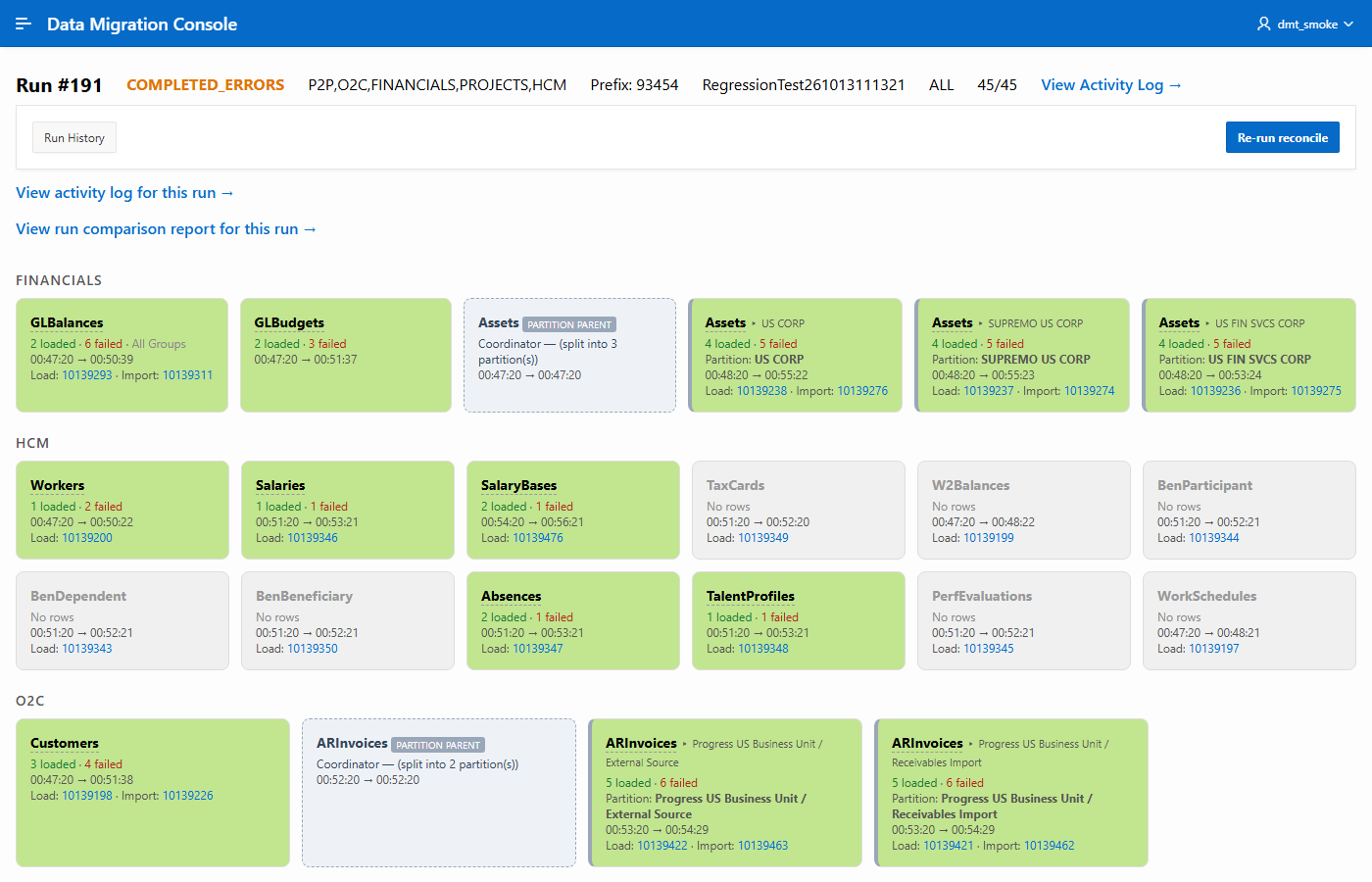
While a run is going, every object gets a tile with its loaded and failed counts, timings and the Fusion ESS request IDs for its load and import jobs. Each ID links to the job's log and output files. Assets and AR invoices show here split by asset book and by business unit, each loading in parallel.
- 4
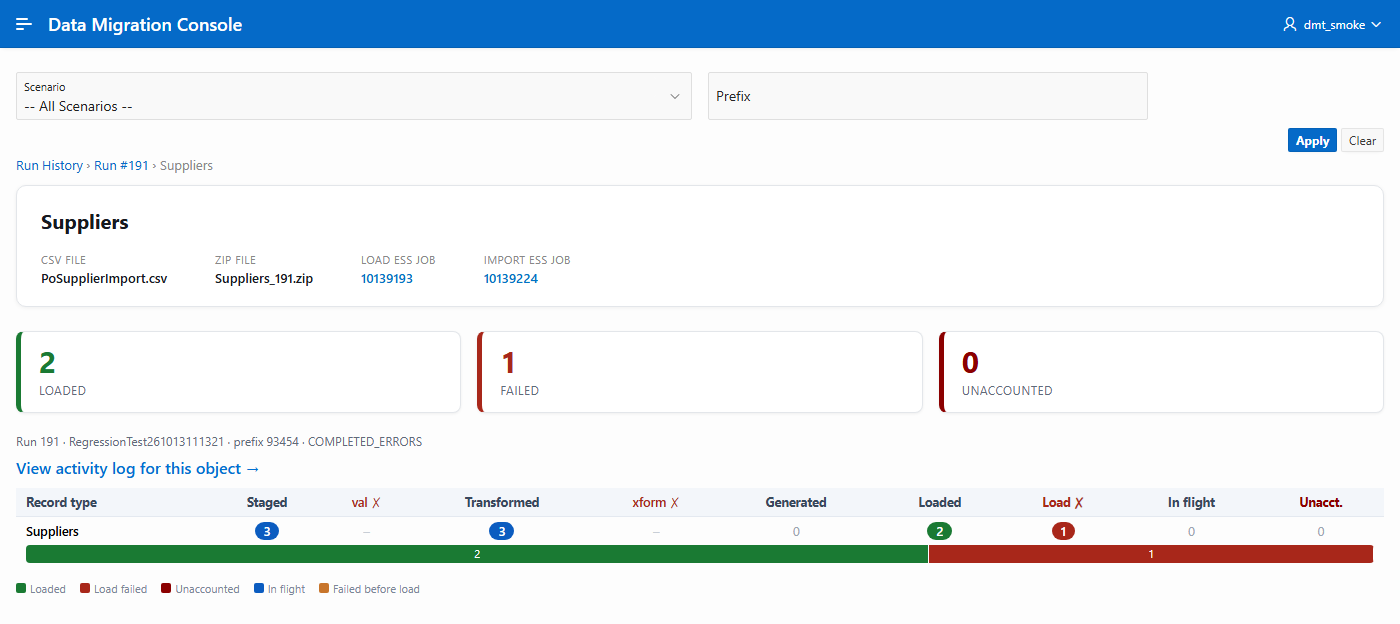
On the object detail page, a funnel shows where every record stopped: staged, validated, transformed, generated, loaded or failed. The Unaccounted column counts records that went into Fusion but could not be found afterwards.
- 5
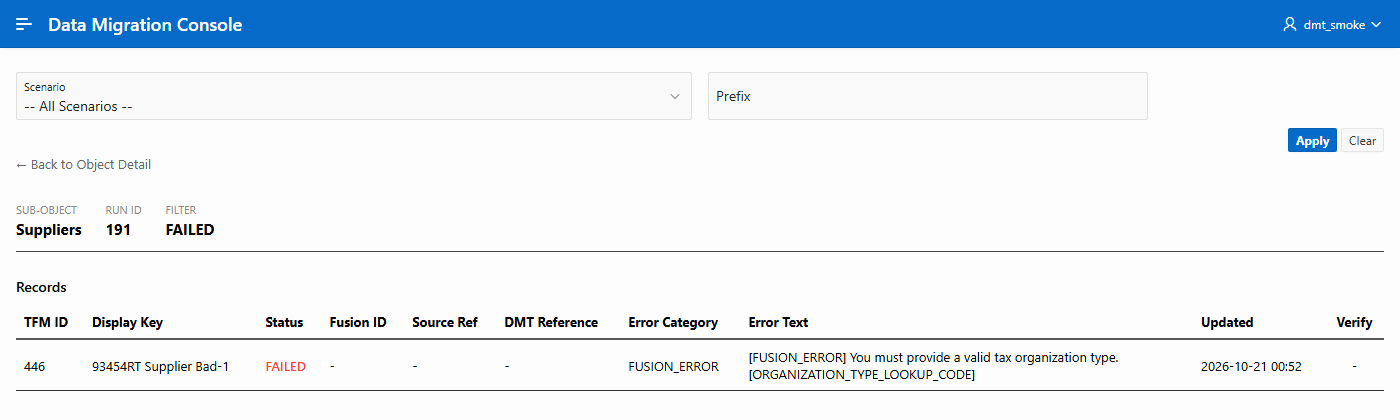
Opening the failed records lists each one with its key and the error Fusion actually returned, here a supplier missing its tax organization type, so the fix can go straight back into the source data for the next run.
Why it's useful
- →One console runs the whole cycle for every object: upload, validate, transform, generate the files, load them into Fusion and reconcile the results.
- →Reconciliation queries the Fusion base tables after each load, and a record only counts as LOADED when the tool finds its own Fusion ID, so silent drop-outs show up as unaccounted rather than being missed.
- →Bad rows are caught as early as possible and each one carries a readable reason, whether it failed on upload, in validation, during the transform or inside Fusion.
- →The execution plan works out the load order from the dependencies between objects, such as suppliers before supplier sites and items before purchase orders. Large objects are split across business units or asset books automatically.
- →Every release runs a regression scenario of good and deliberately bad rows against a live Fusion pod. The good rows have to load and the bad rows have to fail with the right error before the release is promoted.